

Use a self-custody wallet with policy-controlled signing or hardware wallet integration to ensure your trading bot requests signatures from you. BuildAWallet provides the infrastructure for this exact workflow. This guide covers WalletConnect, policy controls, hardware integration, and session keys to secure your automated trading.
WalletConnect Signature Requests
WalletConnect is a protocol that enables secure communication between dApps and wallets. It allows a trading bot to request a signature from your wallet without holding your private key. The bot initiates a session, and you approve or reject the transaction on your device. This ensures that the bot cannot execute trades without your explicit consent.
How the Handshake Works
The process begins with a pairing URI. Your wallet scans this URI to establish a secure channel. Once connected, the bot can send transaction requests. You review the details, such as the amount and recipient, before signing. This step is critical for preventing unauthorized actions.
Security Considerations
Always verify the dApp address before approving a session. Malicious bots may use lookalike addresses to trick users. BuildAWallet supports standard WalletConnect flows, ensuring that your keys remain local. You maintain full control over every signature request.
Policy Controlled Signing
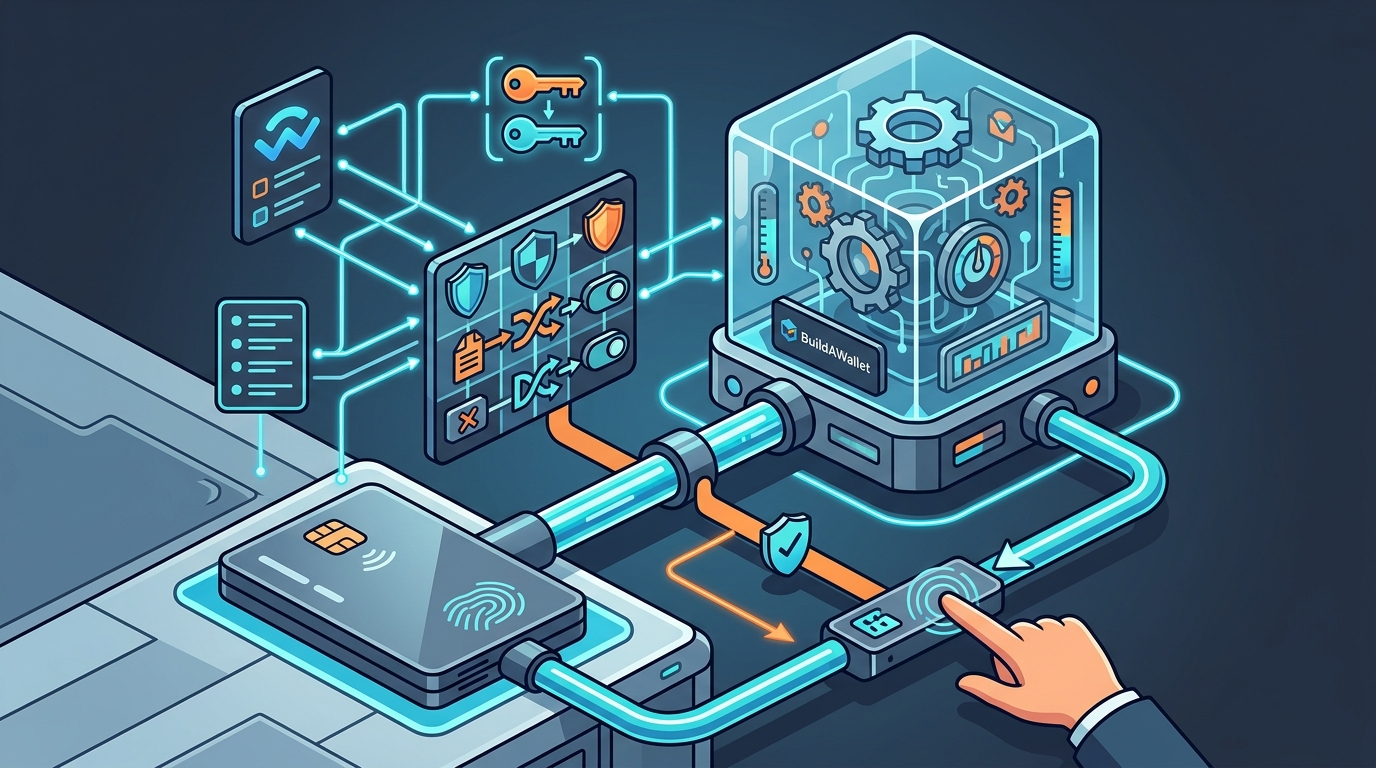
Policy controlled signing is a mechanism that restricts what a wallet can sign based on predefined rules. Instead of giving a bot full access, you set limits on transaction amounts, allowed contracts, or network types. If a bot attempts a transaction that violates these policies, the wallet rejects it automatically.
Defining Your Rules
You can create policies that limit daily spending or block specific token contracts. This is useful for trading bots that operate within strict risk parameters. BuildAWallet allows you to configure these policies in the Wallet Studio. You define the boundaries, and the software enforces them locally.
Enforcement Mechanisms
The enforcement happens at the signing layer. Before a signature is generated, the transaction is checked against your policies. If it fails, the request is denied. This adds a layer of security that goes beyond simple approval. It prevents even a compromised bot from executing harmful trades.
Hardware Wallet Integration
Hardware wallet integration is the process of connecting a physical device to your software wallet. This device stores your private keys in a secure element. The bot interacts with the software wallet, which then forwards the transaction to the hardware device for signing. Your keys never leave the hardware device.
Supported Devices
BuildAWallet supports major hardware wallets like Ledger and Trezor. You connect the device via USB or Bluetooth. The software wallet acts as a bridge between the bot and the hardware. This setup is ideal for high-value trading strategies. It ensures that even if your computer is compromised, your keys remain safe.
Setup Process
First, install the firmware on your hardware wallet. Then, pair it with BuildAWallet. You will need to confirm the connection on the hardware device screen. Once paired, the bot can request signatures through the software wallet. The hardware device will display the transaction details for your final approval.
Session Keys
A session key is a temporary key derived from your master key for a specific purpose. It allows a bot to sign transactions without accessing your main private key. The session key has limited permissions and expires after a set time. This reduces the risk if the bot is compromised.
Derivation and Scope
Session keys are derived using a specific path. You can limit the scope to a single chain or a specific contract. For example, you might create a session key that can only interact with a DEX on Base. This isolation ensures that a breach in the bot does not expose your entire portfolio.
Rotation and Revocation
You should rotate session keys regularly. If you suspect a bot is behaving oddly, revoke the session key immediately. BuildAWallet makes it easy to manage these keys. You can view active sessions and terminate them with a single click. This proactive approach is essential for long-term bot operation.
Hardware Wallet Signing
Hardware wallet signing is the final step in the transaction process. The transaction is sent to the hardware device, which signs it using the stored private key. The signed transaction is then broadcast to the network. This method provides the highest level of security for automated trading.
Verification on Device
Always verify the transaction details on the hardware device screen. Check the recipient address and amount carefully. Some malicious bots may alter the transaction data after it leaves the software wallet. The hardware device is the last line of defense. It ensures that you are signing exactly what you intend to sign.
Latency and UX
Hardware signing adds a small delay to the process. You need to physically confirm the transaction on the device. For high-frequency trading, this may be a bottleneck. However, for most retail traders, the security benefit outweighs the slight delay. BuildAWallet optimizes the connection to minimize this latency.
Comparison of Signing Methods
| Method | Security Level | Convenience | Best For |
|---|---|---|---|
| WalletConnect | Medium | High | Mobile trading, dApp interaction |
| Policy Controlled | High | Medium | Risk-managed bots, strict limits |
| Hardware Wallet | Maximum | Low | High-value assets, long-term holds |
| Session Keys | High | High | Isolated bot operations, temporary access |
Key Takeaways
- Use WalletConnect to allow bots to request signatures without holding your keys.
- Implement policy controlled signing to enforce strict limits on bot actions.
- Integrate a hardware wallet for maximum security on high-value trades.
- Use session keys to isolate bot operations and limit exposure.
- Always verify transaction details on your hardware device screen.
- Rotate and revoke session keys regularly to maintain security.
- BuildAWallet provides the tools to configure all these methods in one place.
- Never share your master private key with any trading bot.
Frequently Asked Questions
Can a trading bot steal my funds if I use WalletConnect?
No, not if you use a self-custody wallet like BuildAWallet. The bot requests a signature, but you must approve it. Your keys remain on your device. The bot cannot access your funds without your explicit approval.
What is the difference between a session key and a master key?
A master key controls your entire wallet. A session key is a temporary, limited key derived from the master key. It has specific permissions and expires. This limits the damage if the session key is compromised.
Do I need a hardware wallet for every trade?
No, but it is recommended for high-value trades. For smaller, frequent trades, you might use a software wallet with policy controls. For large positions, use a hardware wallet to ensure maximum security.
How do I set up policy controlled signing in BuildAWallet?
Open the Wallet Studio in BuildAWallet. Navigate to the Security tab. Define your rules for transaction limits and allowed contracts. Save the policy. The wallet will now enforce these rules for all signing requests.
Can I use multiple bots with the same wallet?
Yes, but it is safer to use separate session keys for each bot. This isolates their permissions. If one bot is compromised, the others remain unaffected. BuildAWallet allows you to manage multiple sessions easily.
What happens if I lose my hardware wallet?
You can restore your wallet using your recovery phrase. The recovery phrase is the only thing you need to regain access. Keep it safe in a physical location. Never store it digitally or share it with anyone.
Is BuildAWallet suitable for automated trading?
How do I revoke a session key?
Go to the wallet settings in BuildAWallet. Find the active sessions list. Select the session key you want to revoke. Confirm the action. The key will be invalidated immediately, and the bot will no longer be able to sign transactions.
Conclusion
Securing your trading bot requires a combination of the right tools and strict security practices. By using WalletConnect, policy controlled signing, and hardware wallet integration, you can maintain full control over your assets. BuildAWallet provides the flexible infrastructure to implement these strategies. You can design a wallet that fits your specific trading needs. Start by configuring your wallet in the Wallet Studio and setting up your security policies. For more details on connecting your bot, check the API documentation. If you need help with setup, visit the support page. Take control of your trading bot today with BuildAWallet.