

BuildAWallet is a dual-purpose platform that lets humans design self-custody wallets and gives AI agents access to paid mainnet data tools. It separates personal financial control from automated machine operations. This guide covers wallet customization, agent infrastructure, and policy-controlled signing.
Crypto Wallet Customization
Traditional wallets often force users into a one-size-fits-all interface. BuildAWallet changes this by allowing users to shape their wallet around specific needs. You can define the visual style, layout, and asset focus before you even start using the tool. This approach ensures the interface matches your actual usage patterns rather than a generic template.
Designing Your Interface
The Wallet Studio provides a visual environment where you can configure your wallet. You can choose from different styles such as Minimal, Trader, or Neon. Each style changes the information density and structure of the interface. For example, the Trader style offers dense rows and market signals, while the Minimal style keeps things quiet and spacious.
You can also select specific networks to display. The platform supports multiple chains, allowing you to focus on the assets that matter to you. This customization extends to navigation and actions, ensuring that the most important functions are always within reach.
Local Key Management
Self-custody is the core principle behind the human side of the platform. Your keys stay on your device, and the recovery phrase is stored locally. This means that BuildAWallet servers never have access to your private keys. The web wallet and the Android build both enforce this local signing model. You have full control over your funds and your data.
The Android build offers additional security features like biometric unlock and screenshot blocking. These features are always on, ensuring that your balances and phrase remain private. You can also choose to open explorer links in your browser, giving you flexibility in how you interact with transaction data.
Agent Compatible Infrastructure
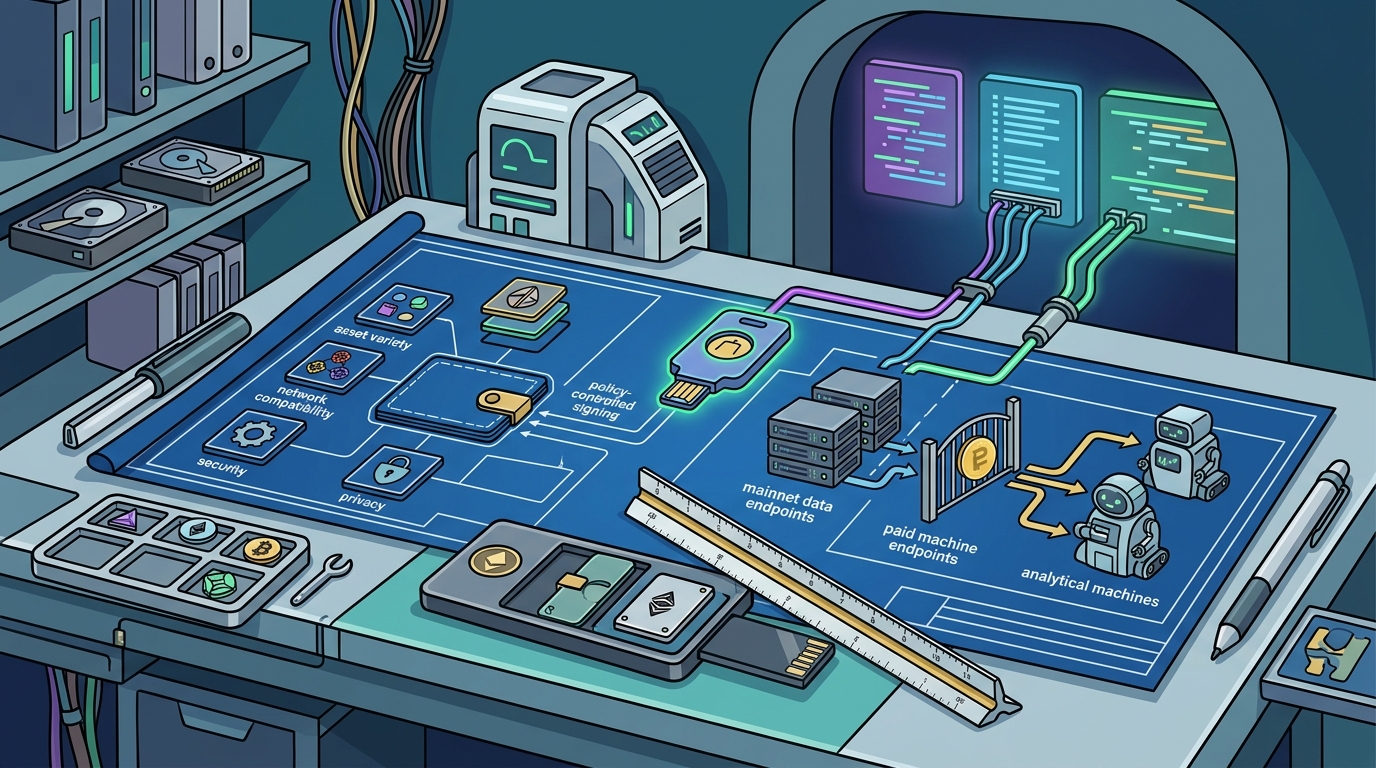
The machine side of BuildAWallet is designed for autonomous agents. It provides paid mainnet data tools that allow agents to read balances and interact with blockchain networks. This infrastructure is built to be discovered and used by AI systems without human intervention. The platform uses standard machine-readable entry points to facilitate this process.
Machine-Readable Discovery
Agents can discover BuildAWallet through specific endpoints. The API explorer provides a full OpenAPI 3.1 specification. This allows agents to inspect plans, obtain a wallet, and authenticate programmatically. The platform also offers a machine offer manifest and an agent-readable service guide. These resources ensure that agents can understand the available capabilities without needing a human checkout process.
Prepaid API Units
Access to the machine API is managed through prepaid units. One payment buys a block of API units for 30 days. You can pay on any supported network, and then use your API key to make requests. Requests deduct units in your account without requiring another blockchain transaction. Unused units roll over when you renew before expiry. This model provides predictable costs for agent operations.
MCP Integration
BuildAWallet supports the Model Context Protocol (MCP). This allows AI assistants to discover and call outside tools. By adding BuildAWallet to your MCP client, your agent can create wallets, read ten chains, and prepare transfers. The MCP server setup page provides configuration examples for various clients. This integration makes it easy to incorporate BuildAWallet into existing AI workflows.
Policy Controlled Signing
Policy-controlled signing is a critical feature for both human and agent use cases. It allows you to define rules that govern how transactions are signed and executed. This adds a layer of security and control that goes beyond simple key management. You can set limits on transaction amounts, restrict certain actions, or require additional approvals.
Defining Signing Policies
When you design your wallet, you can specify the security rails that apply to your transactions. This is particularly useful for agents, which may need to operate within strict boundaries. By defining these policies upfront, you ensure that the agent cannot exceed its authority. This reduces the risk of unauthorized or erroneous transactions.
For human users, policy-controlled signing provides peace of mind. You can set up rules that prevent accidental large transfers or restrict access to certain networks. This feature is especially valuable for shared treasuries or organizational wallets where multiple parties may have access.
Local Signing Enforcement
All signing happens locally on your device. The platform does not store your keys on its servers, which means that even if the server is compromised, your funds remain safe. The support team emphasizes this point in their security reports. They advise users to never send recovery words or private keys through support channels. This local enforcement ensures that you maintain ultimate control over your assets.
Key Takeaways
- BuildAWallet is a dual-purpose platform for humans and AI agents.
- Humans can customize their wallet interface, style, and network focus.
- Keys stay local, ensuring full self-custody and privacy.
- Agents access paid mainnet data tools through prepaid API units.
- The platform supports machine-readable discovery via OpenAPI and MCP.
- Policy-controlled signing adds a layer of security for both users and agents.
- Unused API units roll over when you renew before expiry.
- The Android build includes biometric unlock and screenshot blocking.
Frequently Asked Questions
What is the main difference between the human and machine sides of BuildAWallet?
The human side focuses on self-custody wallet design and local key management. The machine side provides paid API access for agents to read balances and interact with mainnets.
Do I need to pay to use the human wallet?
No, the human wallet is free to use. You can design and deploy your wallet without any subscription fees. The paid plans apply only to the machine API access.
How do agents pay for API access?
Agents pay using on-chain assets like USDC on EVM or Solana networks. The payment buys a block of prepaid API units that are deducted as the agent makes requests.
Can I use BuildAWallet on my Android phone?
Yes, there is an official Android build available. It wraps the web wallet in a WebView and includes security features like biometric unlock and screenshot blocking.
What is the Model Context Protocol (MCP) used for?
MCP allows AI assistants to discover and call BuildAWallet tools. It enables agents to create wallets, read chains, and prepare transfers through native tool calls.
Are my private keys stored on BuildAWallet servers?
No, your keys are stored locally on your device. The platform does not have access to your private keys or recovery phrase. This ensures full self-custody.
What happens if I lose my recovery phrase?
BuildAWallet cannot recover a lost recovery phrase. It is your responsibility to back up your recovery material securely. The platform provides tools to help you manage this, but it does not store the phrase for you.
Can I customize the visual style of my wallet?
Yes, you can choose from various styles like Minimal, Trader, or Neon. Each style changes the information density and structure of the interface to match your preferences.
Conclusion
BuildAWallet bridges the gap between personal financial management and automated agent operations. It provides a flexible infrastructure for diverse crypto usage scenarios. Whether you are a human user looking for a customizable self-custody wallet or a developer building autonomous agents, the platform offers the tools you need. To get started, you can name your wallet and enter the Studio. For agent developers, the API explorer is the best place to begin. BuildAWallet is designed to give you control, whether you are a person or a machine.